
What Is a Digital Front Door in Healthcare? Definition, Components, and Examples
This blog explains the digital front door in healthcare, its core components, and real-world implementations. It explores business benefits, adoption challenges, and future priorities for improving patient access and operational efficiency.
Play Voice
Nirmal Suthar
Associate Director of Software Engineering
October 8, 2026
Key Takeaways
- A digital front door connects care discovery, appointment booking, registration, and visit preparation.
- Its seven core components support patient access, from provider search to feedback and analytics.
- Reliable system integration can reduce manual work and improve appointment readiness across healthcare workflows.
- Successful adoption requires accessible interfaces, accurate patient information, secure workflows, and assisted access channels.
- Healthcare organizations should measure booking completion, patient effort, and staff workload before expanding implementation.
Why Digital Front Door Matters in Healthcare in 2026
A healthcare digital front door connects patient-facing access tools with healthcare scheduling, registration, and communication systems. It enables patients to find providers, book appointments, and complete administrative tasks through digital channels. Integrations with electronic health records (EHRs) help transfer information into existing operational workflows.
For healthcare organizations, its business value depends on connecting patient actions with service delivery. Online booking needs accurate appointment availability, while digital intake needs reliable data exchange. These connections help reduce manual work and support more consistent access across locations.
The operational priorities for 2026 include:
- Expand access: Allow patients to schedule appointments outside regular office hours.
- Reduce administrative workload: Transfer intake information into connected systems, reducing manual data entry.
- Support appointment readiness: Collect required forms and send instructions before scheduled visits.
- Simplify payments: Provide digital payment options within registration and check-in workflows.
Organizations should evaluate these capabilities against booking completion, staff workload, and patient access needs. This makes investment decisions measurable and ties digital improvements to operational performance.
What Is a Digital Front Door in Healthcare?
Brief Definition
A digital front door in healthcare is a connected set of patient-facing digital services. It helps patients find care, schedule visits, submit information, and access appointment instructions. These services connect patient interactions with clinical and administrative systems across the organization.
How It Works
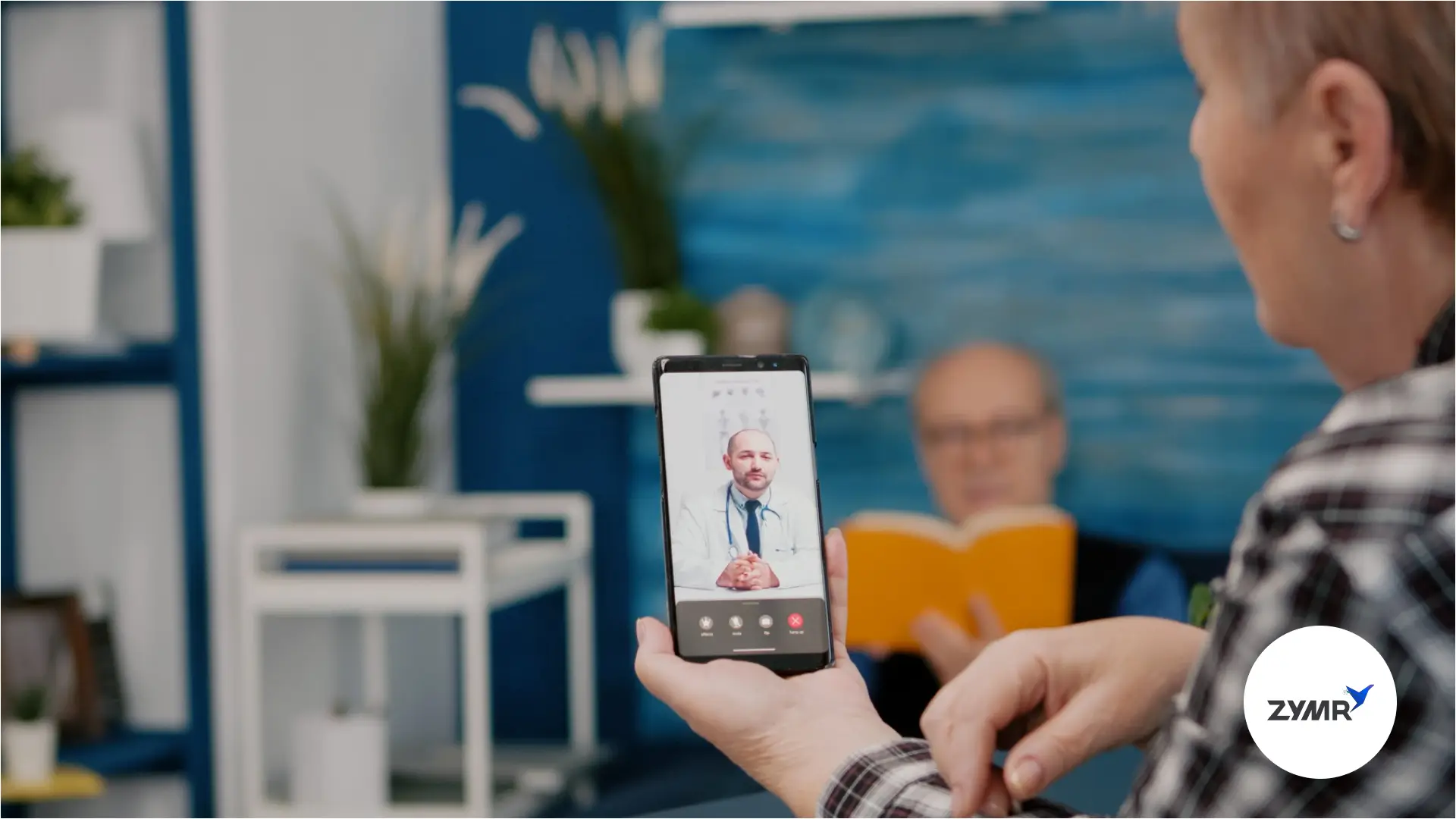
Patients enter through a website, mobile application, or a link sent by text. Connected workflows display appointment availability, collect registration details, and deliver information to integrated systems. Depending on implementation, patients can also complete check-in and payments before their visits.
Where It Fits in the Patient Journey
The digital front door supports access before, during, and after a healthcare visit. Provider discovery and booking help patients enter care, while intake prepares them for appointments. Communication tools then support appointment changes and scheduling of recommended follow-up care.
Simple Example
A patient searches a clinic website, selects a provider, and books an available appointment. They complete registration forms through a text link and receive arrival instructions automatically. With appropriate integration, staff receive submitted details within their existing electronic health record workflow. This connects appointment booking with visit preparation and reduces manual information entry.
Digital Front Door vs. Patient Engagement, Patient Portals, and Telehealth
A digital front door organizes access workflows, while patient engagement supports participation in care. Patient portals provide secure information access, and telehealth enables remote healthcare services. Their functions overlap, particularly when portals include scheduling, check-in, messaging, and video visits.
Where Each Fits
The digital front door supports care discovery, booking, and preparation before an appointment. Patient engagement extends throughout care, helping patients understand instructions and participate in decisions. Portals support ongoing information access, while telehealth provides a channel for remote care.
How They Work Together
A patient books online, completes intake, and joins a video consultation through their portal. Afterward, portal messages and educational resources support follow-up participation.
For implementation planning, organizations should map shared workflows across these services before purchasing additional tools.
Core Components of a Digital Front Door
A digital front door connects discovery, booking, registration, payment, communication, visit access, and feedback. These seven digital front door components help organizations assess coverage and identify gaps across patient access workflows.
i. Provider Search and Directory
Brief Overview
A provider search directory helps patients identify clinicians who match their care requirements.
Key Capabilities
- Search by specialty, location, language, and accepted insurance.
- Review provider profiles, services, and appointment availability.
- Connect search results with relevant booking options.
Patient Value
Accurate provider information helps patients select suitable care before starting the booking process.
Example
A patient searches for a nearby dermatologist, reviews available profiles, and proceeds to scheduling.
For implementation, directory information should remain consistent with connected scheduling and administrative systems. Clear ownership of provider updates helps prevent outdated locations, incorrect listings, and unsuitable bookings.
Organizations can measure performance through search-to-booking conversion, unsuccessful searches, and directory-related support requests.
ii. Digital Scheduling and Booking
Brief Overview
Digital scheduling lets patients request or book appointments through websites, applications, or messaging links. Integrated booking uses appointment availability and scheduling rules to guide patients toward suitable slots.
Key Capabilities
- Display available appointments by provider, location, and visit type.
- Apply booking rules for new patients, returning patients, and specific services.
- Support appointment confirmations, cancellations, and rescheduling.
- Offer waitlist options when earlier appointments become available.
Patient Value
Patients can book outside office hours without waiting for telephone assistance. Clear visit options help them choose appointments appropriate to their needs.
Example
A returning patient selects a follow-up visit, chooses an available slot, and receives confirmation.
For implementation, distinguish appointment requests requiring staff approval from bookings confirmed directly within the scheduling system. Configure visit duration, provider eligibility, and referral requirements before enabling automated booking.
Organizations can measure booking completion, scheduling-related calls, slot utilization, and appointments requiring manual correction. These measures connect scheduling performance with staff capacity and access to available care.
iii. Digital Intake and Registration
Brief Overview
As the core of digital patient onboarding, digital intake collects patient demographics, medical history, insurance details, and consent before appointments. Registration uses this information to establish or update the patient's administrative record. Integrated platforms transfer submitted information into connected electronic health record (EHR) workflows.
Key Capabilities
- Collect registration details through mobile-friendly forms before the scheduled visit.
- Capture medical questionnaires, insurance information, and required consent documents.
- Transfer supported data into integrated systems for staff review.
- Provide assisted check-in options for patients needing help completing forms.
Patient Value
Patients can complete paperwork before arrival, reducing administrative tasks during their visit. Assisted options support patients who prefer completing registration with staff guidance.
Example
A new patient receives a registration link, submits their details, and completes consent forms. Staff review the submitted information within the connected intake workflow before the appointment.
For implementation, define required fields, validation rules, patient matching, and responsibilities for reviewing submissions. Confirm which information transfers automatically and which documents require manual review.
Organizations can measure form completion, registration time, correction rates, and repeated data entry. These measures help identify whether digital intake improves preparation and reduces administrative workload.
iv. Insurance Verification and Payment
Brief Overview
Digital insurance verification checks patient eligibility and available benefit details before a scheduled visit. Connected payment tools support copay collection, outstanding balances, and payment plans across the visit workflow.
Key Capabilities
- Check eligibility and benefits through connected payer services before scheduled appointments.
- Flag inactive coverage or inconsistent insurance information for staff review.
- Present available copay details and estimated patient responsibility.
- Enable online payments, digital receipts, and configurable payment plans.
Patient Value
Earlier benefit information helps patients understand expected costs and raise questions before arrival. Digital payment options let them pay through convenient channels before or after appointments.
Example
A patient submits insurance details during registration, and the system checks available benefits. They review the displayed copay and pay online before attending their appointment.
For implementation, define how staff resolve failed checks, missing benefits, and disputed payment amounts. Clearly label estimates and explain when final patient responsibility will be determined.
Organizations can measure verification completion, unresolved coverage issues, collection rates, and payment-related support requests. These measures connect financial workflows with administrative efficiency and patient understanding.
v. Digital Check-In and Patient Communication
Brief Overview
Digital check-in lets patients complete required arrival tasks through mobile devices or on-site tools. Patient communication delivers reminders, visit instructions, and appointment updates through connected messaging channels.
Key Capabilities
- Let patients review registration details and complete outstanding check-in tasks.
- Send appointment reminders, preparation instructions, and notifications about schedule changes.
- Support two-way messaging for questions and appointment coordination.
- Show staff which intake and consent requirements remain incomplete.
Patient Value
Patients receive information needed to prepare for appointments and complete administrative requirements. Assisted check-in options help those who need support or prefer registering in person.
Example
A patient receives a reminder with preparation instructions and a mobile check-in link. They confirm their details, while staff review any remaining requirements before the visit.
For implementation, distinguish completed digital paperwork from confirmed physical arrival at the care location. Define message ownership, response times, and escalation procedures for requests requiring staff attention.
Organizations can measure check-in completion, unanswered messages, reminder delivery failures, and appointment-related telephone calls. These measures help assess whether communication improves visit preparation and reduces coordination work.
vii. Wayfinding and Telehealth Access
Brief Overview
Digital wayfinding provides directions that help patients reach the correct facility and department. Telehealth access connects patients with remote appointments through booking, preparation, and consultation entry tools.
Key Capabilities
- Provide location details, parking information, entrance instructions, and available indoor navigation.
- Display visit-specific directions within appointment confirmations and reminders.
- Enable video visit access, including a virtual waiting room where supported, from appointment details or a connected patient portal.
- Explain technical requirements and provide support when patients cannot join remotely.
Connected portals such as MyChart support appointment booking and entry into video consultations.
Patient Value
Clear directions help patients prepare for arrival at unfamiliar healthcare locations. Accessible consultation links and technical guidance help patients enter remote appointments with fewer difficulties.
Example
An appointment reminder directs an in-person patient to the correct entrance and clinic. For a virtual appointment, the patient opens their portal and joins the scheduled consultation.
For implementation, keep location instructions current and provide alternatives when navigation or video tools fail. Make appointment type, time, and entry instructions clearly visible throughout the access workflow.
Organizations can measure direction-related calls, late arrivals, failed video connections, and requests for technical assistance.
vii. Feedback and Analytics
Brief Overview
Feedback captures patient-reported experiences, while analytics measures activity across digital access workflows. Together, they help organizations identify difficulties in booking, registration, communication, and visit preparation.
Key Capabilities
- Collect short surveys about specific access tasks, including booking and check-in.
- Track completion, abandonment, and errors across scheduling and intake workflows.
- Compare performance by location, specialty, device, and access channel.
- Route unresolved feedback to accountable teams for review and follow-up.
Business Value
Analytics shows where patients encounter barriers, while feedback helps explain the underlying difficulties. Organizations can use both to prioritize improvements and assess results against operational goals.
Example
Reports show frequent mobile registration abandonment, and patient feedback identifies an unclear insurance field. The team revises the instructions and compares completion rates before and after the change.
For implementation, define each metric consistently and connect events across systems using appropriate identifiers. Collect only necessary information and control access to patient-linked reports.
Organizations can measure booking conversion, intake completion, support requests, and time taken to resolve feedback. Review these measures together to assess whether improvements reduce patient effort and administrative workload.
Business Benefits of a Digital Front Door
A connected digital front door can improve access and reduce administrative work across patient-facing workflows. Business results depend on integration quality, patient adoption, and how teams handle exceptions.
Better Patient Access
Online scheduling gives patients booking options outside office hours and across supported channels. Measure booking completion and time to appointment to assess actual access improvements.
Improved Patient Experience
Connected registration, instructions, and payment options help patients prepare before attending appointments. Track patient feedback and support requests to identify tasks that remain difficult.
Reduced Administrative Workload
Integrated intake transfers submitted information into existing systems, reducing manual data entry. Compare registration time, correction rates, and staff interventions before and after implementation.
Higher Digital Engagement
Convenient scheduling, messaging, and reminders give patients more ways to participate in care. Measure completed tasks and repeat usage alongside the availability of assisted access.
Better Operational Visibility
Workflow reporting helps teams monitor registration completion, consent status, and outstanding eligibility checks. Use consistent measures to identify bottlenecks and assign improvements to accountable teams.
Real-World Digital Front Door Examples
These digital front door examples show how connected access tools support booking, preparation, and entry into care.
i. Large Health System: NYU Langone Health
Digital Access Journey
Patients use the NYU Langone Health app to schedule appointments and access records. For virtual visits, they complete check-in and join their consultation through the app.
Technologies Involved
The implementation combines a patient-facing mobile application, MyChart account access, and video consultation capabilities. These services connect appointment management with access to the patient's health information.
Patient and Operational Impact
Patients can manage appointments and access eligible remote services through one application. NYU Langone states that storing personal information in a MyChart account saves time when scheduling appointments. The cited sources describe functionality without quantifying staff savings or booking conversion improvements.
ii. Multi-Specialty Group: Evergreen Family Medicine
Digital Access Journey
Evergreen Family Medicine uses automated telephone access to handle and route patient requests. This illustrates how a digital front door can support patients through familiar telephone channels. Phreesia categorizes the organization under family medicine and multispecialty care.
Technologies Involved
The implementation uses Phreesia VoiceAI, electronic health record integration, and intelligent call routing. Connected workflows help direct incoming requests while reducing manual call handling for staff.
Patient and Operational Impact
Phreesia reports that the system handled 100,000 calls during its first two months. Its published account also reports substantially reduced hold times and less manual staff work. These vendor-reported results describe this implementation; they should not serve as universal performance benchmarks.
The business lesson is to address the access channel creating the greatest operational burden. For organizations with heavy telephone demand, connected call handling can complement online booking and intake.
Common Challenges of Digital Front Door Adoption
Digital front door adoption requires coordinated workflows, reliable data exchange, and accessible patient interfaces. Digital front door implementation planning should address these requirements alongside the rollout of individual access tools.
Fragmented Systems
Disconnected booking, intake, and communication tools can leave staff reconciling information across multiple applications. Map system ownership and handoffs before automating workflows to identify duplication and unresolved tasks.
EHR Integration
Integration must support the specific data and actions each patient access workflow requires. Test appointment updates, form transfers, and failed transactions within the organization's actual EHR configuration.
Patient Identity and Data
Inconsistent identifiers or outdated demographics can make matching submissions to existing records difficult. Define matching rules, verification steps, and staff review procedures for ambiguous or conflicting information.
Accessibility and Usability
Complex forms and unclear instructions can make digital tasks difficult for some patients. Test mobile layouts, keyboard navigation, assistive technology compatibility, and language options with representative users, using the Web Content Accessibility Guidelines (WCAG) as a baseline. Maintain assisted channels for patients who cannot complete tasks independently.
Privacy and Security
Access workflows handle protected health information across applications, integrations, and third-party services. Define permissions, authentication, data collection boundaries, and monitoring responsibilities throughout the connected workflow. Review patient-facing messages to limit unnecessary disclosure of personal information.
The Future of Digital Front Door in Healthcare
Digital front door healthcare development is moving toward automated navigation and more connected access workflows. Current implementations already combine scheduling, intake, communication, and automated telephone support. The priorities below describe potential development directions, rather than capabilities available in every platform.
AI-Powered Patient Navigation
AI assistants can help patients navigate service options and route administrative requests. Organizations should define approved tasks, validate routing accuracy, and provide escalation to staff. Clinical questions require separate safeguards and appropriate professional oversight.
Personalized Experiences
Access interfaces can present instructions based on appointment type, language preference, and accessibility needs. Personalization should simplify the immediate task while using only necessary, appropriately governed patient information.
Automated Care Journeys
Connected workflows can trigger reminders, intake requests, and follow-up scheduling from appointment events. Implementation should define exception handling when patients need assistance or integrations fail. Measure completed care-access tasks alongside automation rates to assess practical value.
Connected Digital Health Ecosystems
Future investment should prioritize reliable connections between access tools, EHRs, and administrative systems. Shared workflow visibility can help teams identify incomplete tasks and coordinate patient support. Evaluate improvements through booking completion, staff interventions, and successful transitions into care.
Conclusion
A digital front door connects patient-facing services with the systems supporting access to care. Its value depends on reliable transitions from initial contact through appointment preparation and follow-up.
Healthcare organizations should prioritize workflows where patients encounter barriers or staff repeatedly intervene manually. Establish baseline measures, implement targeted improvements, and evaluate booking completion, patient effort, and administrative workload.
A durable digital front door strategy should strengthen integration, accessibility, and accountable automation across the patient journey. Start with a defined access problem, prove operational value, and expand using measured results.
Conclusion
FAQs
1. How is a digital front door different from a patient portal?
>
A digital front door connects care discovery, booking, and visit preparation across access channels. A patient portal provides secure records access and communication, often supporting overlapping appointment services.
2. How is a digital front door different from patient engagement?
>
A digital front door organizes access to care and related administrative tasks. Patient engagement supports ongoing participation through communication, education, and self-management throughout the care journey.
3. What are examples of digital front door implementations?
>
NYU Langone connects app-based scheduling, records access, and video visits through its patient services. Evergreen Family Medicine uses EHR-integrated VoiceAI to handle and route incoming telephone requests.
4. What are the top digital front door platforms in 2026?
>
There is no single best platform for every organization. Examples include Luma Health and Phreesia; MyChart supports overlapping portal and access capabilities. Evaluate workflow coverage, EHR compatibility, accessibility, and implementation requirements before selecting a solution.
5. How do you implement a digital front door in a health system?
>
Map access workflows, identify priority gaps, and define integration and data requirements. Pilot selected capabilities, train staff, retain assisted channels, and expand after measuring operational results.
Have a specific concern bothering you?
Try our complimentary 2-week POV engagement


Our Latest Blogs


October 8, 2026


.svg)
.svg)
.svg)
.svg)
.svg)
.svg)
